No Calls, No Drama: The Case for a Data-Only SIM in Your Tablet, Router or Spare Kit
Photo: Whispyhistory, CC BY-SA 4.0, via Wikimedia Commons
A data-only SIM is one of those purchases that feels almost too boring to research. No flashy handset bundle, no inclusive minutes, no late-night texts. Just a chunk of data and a monthly or 30-day top-up. And yet, for tablets, mobile routers, backup connections and second devices, that boring little card can be quietly brilliant.
Not always, mind. A standard voice SIM is often cheaper because networks use it as a loss leader, and some “unlimited” data plans are less unlimited than the poster suggests. So here’s the practical version: where data-only prepaid SIMs make sense in the UK, what to check before buying, and the small-print traps that can turn a bargain into a faff.
What a data-only SIM actually is
A data-only SIM gives you mobile data but no ordinary calls or texts. Some networks still assign it a number for account admin, but you shouldn’t expect to ring your bank from it or receive a verification text. That last point matters more than people realise. If your tablet or router is your only connected device for a few minutes, and a service insists on SMS two-factor authentication, a data-only SIM can leave you stuck.
It’s also not the same as a standard SIM with the calls and texts switched off. The plan terms, fair-use rules and tethering permissions can differ. Treat “data-only” as its own product category, not a voice SIM with the voice bit removed.
Where they earn their keep
Tablets are the obvious home. A Wi-Fi-only iPad or Android slate becomes far more useful on train journeys, in a holiday cottage or at a client site where the guest Wi-Fi is held together by hope. A data-only SIM in a mobile router is also a sensible backup for home broadband, especially if you work from home and can’t afford a morning of dead fibre.
Second devices are another good fit: a glovebox tablet, a camera bag’s Wi-Fi hotspot, a caravan router, a child’s tablet with no phone attached. If the device needs internet and never needs to make a call, data-only is worth a look.
It’s less suitable for your main phone. Even if you mostly use WhatsApp, you’ll eventually need a bank code, a delivery text or a call from the dentist. Keep a voice SIM in the phone and use the data-only SIM where it belongs.
The UK options worth checking in 2026
The big four networks — EE, O2, Vodafone and Three — all sell data-only SIMs in some form, often aimed at tablets and mobile broadband. Among the smaller brands, SMARTY, iD Mobile, giffgaff, Lebara and others have data-led plans, though not every one is a true data-only product. Some simply bundle calls and texts you’ll never use. That’s fine if the price is right, but don’t assume the label on the homepage matches the terms in the PDF.
Plan names and allowances change constantly, so check the current details rather than relying on a comparison site’s cached table. Look for the phrases “data-only”, “mobile broadband” and “tablet SIM”, then read the fair-use and tethering sections. If a deal looks unusually cheap for a huge allowance, that’s your cue to slow down, not speed up.
Tethering, routers and the fair-use fine print
Tethering is the classic gotcha. Some plans allow personal hotspot use; others restrict it or apply a lower cap when you share data with another device. A router isn’t tethering in the phone sense, but networks can still treat heavy router use differently from tablet use. Check whether the plan is intended for a mobile broadband device, and whether the provider permits it in a router.
“Unlimited” deserves special suspicion. It usually means “unlimited until a fair-use threshold”, after which speeds may drop or the provider may ask you to stop. For a tablet checking emails and streaming the odd programme, that’s rarely an issue. For a household router replacing broadband, it can be. Be honest about your usage before you sign up.
Compatibility: tablets, routers and APN settings
First, check the device is unlocked. A tablet bought on a contract may be network-locked, and a second-hand router may be tied to a previous provider. Next, look at the bands. UK networks lean on 800MHz, 1800MHz, 2100MHz and 2600MHz for 4G, with 700MHz and 5G bands increasingly common. A cheap router that lacks the right bands may still work, but it won’t be at its best.
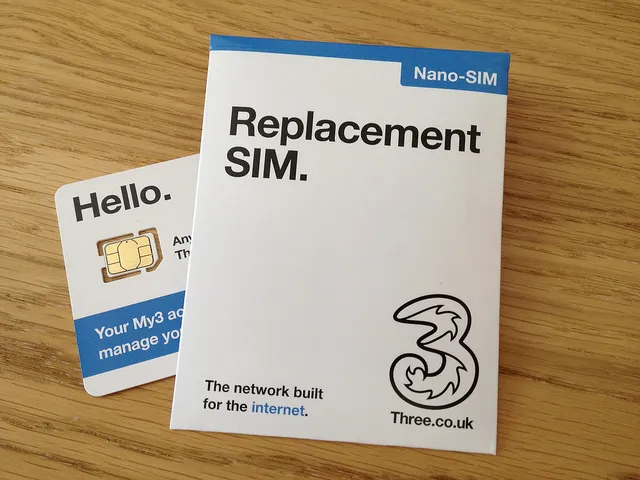
You may need to enter an APN manually. That’s the access point name, and it’s usually on the provider’s help pages. It’s a two-minute job, not a reason to panic. Also check the SIM size — full-size, micro and nano — and whether the plan supports self-activation online. Some data-only SIMs have no SMS, so activation by text isn’t always an option.
Credit expiry and other traps
Prepaid data often comes with an expiry date. A 30-day plan expires after 30 days, obviously, but some top-ups have 90-day or 12-month validity, and any unused credit may vanish. Set a reminder before renewal if you don’t want an auto-charge. Check whether unused data rolls over, whether the price can rise mid-term, and what happens if you lose the SIM. Replacement fees are usually small but annoying.
Roaming is another one. A data-only SIM may not include EU roaming, or may include it only on certain plans. If you’re taking a tablet abroad, check the current roaming terms rather than assuming “Europe” is included because it was a few years ago.
A sensible buying checklist
- Confirm it’s genuinely data-only, or that the bundled calls and texts don’t push the price up.
- Check tethering and router permissions in the terms, not just the sales page.
- Confirm your device is unlocked and supports the network’s main 4G and 5G bands.
- Find the APN settings before you need them.
- Note the credit expiry, renewal date and fair-use threshold.
- Decide whether you need a phone number for verification texts. If yes, keep a voice SIM.
Data-only prepaid SIMs won’t win any design awards, and that’s the point. They’re a practical tool for devices that only need data. Buy one with your eyes open, check the small print, and it’ll quietly do its job for months without drama.