The Lockout Nobody Plans For: Auditing Two-Factor Logins Before a SIM Switch

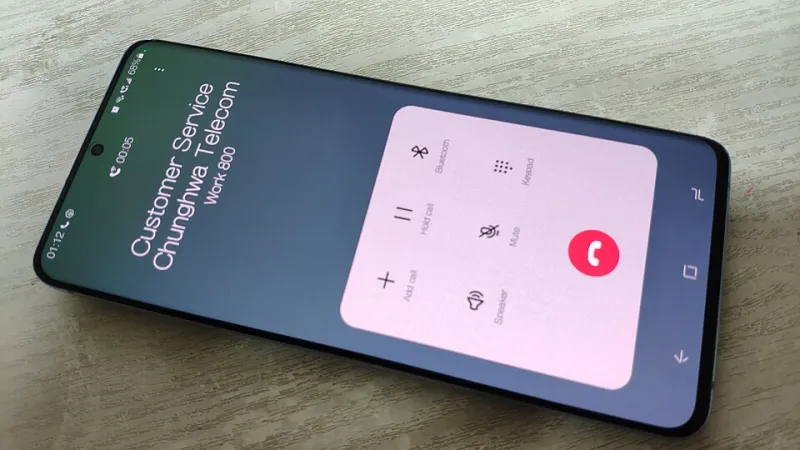
Photo: smartphone showing two-factor authentication code next to a SIM card on a desk, via basic-tutorials.de
You've done the sensible things. Compared the deals, ordered the new SIM, texted the magic word for a PAC code. The switch feels organised. Then it's 11pm, you try to log into your online banking, and the code goes to a SIM that is now a dead slice of plastic in a drawer. That's the two-factor trap, and it catches far more prepaid switchers than it should.
SMS security codes are still everywhere. Not because they're brilliant, but because they're cheap and everyone has a phone number. The trouble is that your phone number is quietly acting as a spare key to your email, your bank, your work tools and the account where you keep your pet insurance. Move the SIM without checking, and you can lock yourself out of all of it.
The port window is the danger zone
If you're keeping your number, the good news is that SMS codes follow you. The number doesn't change, so the texts still arrive once the port completes. The risk is the gap: there's usually a window of a few hours, often overnight, where the old SIM stops working and the new one isn't quite live yet. Don't schedule a mortgage application for that evening.
If you're changing number — binning the old one and starting fresh — the risk is much bigger. Any account still pointing at the old number is now a locked door with the key thrown away. That's when the audit stops being optional.
Start with a list, not a panic
Before you touch anything, spend twenty minutes writing down every account that might text you a code. The easy way in is to search your email inbox for phrases like "verification code", "two-factor" and "security code". Years of sign-ups will surface.
Group them roughly:
- Money: banking apps, credit cards, PayPal, savings platforms, HMRC and Gov.uk One Login.
- Email and cloud: your main email account is the master key to everything else, so start there.
- Social and shopping: Facebook, Instagram, Amazon, eBay, Vinted, Deliveroo.
- Work: Slack, Microsoft 365, Google Workspace, any HR portal that insists on texting you.
- Odds and ends: utilities, council tax, the vet, the gym, your password manager.
You don't need to fix everything at once. You need to know what's on the list.
Move the important ones to an app or a passkey
Authenticator apps — Google Authenticator, Microsoft Authenticator, or the built-in ones on iOS and Android — generate codes on the phone itself, no signal required. Passkeys are even smoother where they're offered. Bank apps often have their own in-app approval, which is fine too.
For each account, log in while the old SIM is still working. Add the authenticator or passkey, confirm it, then switch off SMS as a method if the service allows it. If it insists on keeping SMS as a backup, that's okay — but make sure the number attached is the one you'll still have after the port.
Print the backup codes
Every service that offers backup codes gives you a list of one-time sign-in codes. Screenshotting them feels clever until the phone dies or the screen cracks. Print them, fold them, put them somewhere boring and physical. A password manager note is a decent second copy. This is the single most useful thing you can do before a switch, and almost nobody does it.
The awkward ones that insist on SMS
Some workplace tools, older banking systems and a few government services still treat SMS as the only option. If you're keeping your number, you can relax. If you're changing it, contact support before the port and ask them to update the number while the old SIM is still alive. Some will let you add a second number as a backup. A few will make you jump through hoops — better to find that out a fortnight early than on a Sunday night.
Time the port like you mean it
A few practical rules that save a lot of grief:
- Do the audit at least a week before you request the PAC. Not the night before.
- Port on a weekday, and avoid the day before a bank holiday or a weekend.
- Don't port the day before payday, a flight, or anything requiring a login you can't afford to lose.
- Keep the old SIM in the phone until it actually stops working, then swap.
- Remember that once the port completes, the old SIM is dead. It won't receive a thing, no matter how nicely you ask.
If a code goes to the old SIM anyway
It happens. If you're mid-port and the old SIM still has a flicker of signal, grab the code fast. If it's already dead, look for the "I don't have access to this number" option on the login screen — most big services have a recovery route involving email, ID checks or a phone call. For banks, ring the number on the back of your card and expect security questions. It's slow and annoying, but it's recoverable. What isn't recoverable is an account where the only recovery method was a number you no longer own and never updated.
The five-minute habit
Once you've done the audit, keep it current. Any time you add a new account, check what it's using for two-factor. Any time you change number or network, run the list again. Treat your SIM like the spare key to your house: it opens more doors than you remember, so don't hand it back until you've changed the locks.